Quick Links 05
Overview
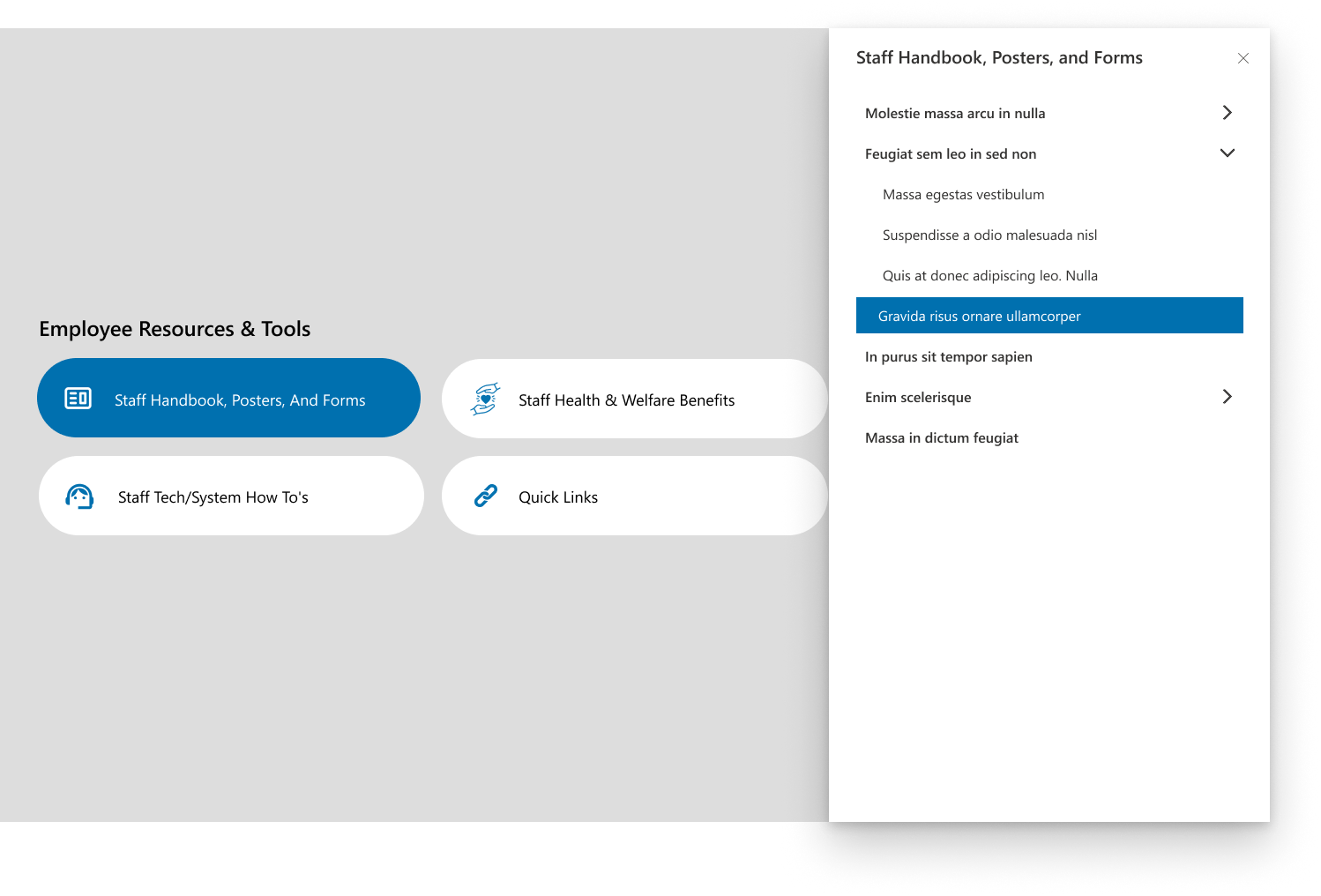
This layout presents categorized employee resources such as staff handbooks, welfare benefits, and system guides. It uses a modern tile design with smooth navigation to detailed document sections. The interface ensures quick access to essential staff materials through an intuitive button-based layout.
Configuration
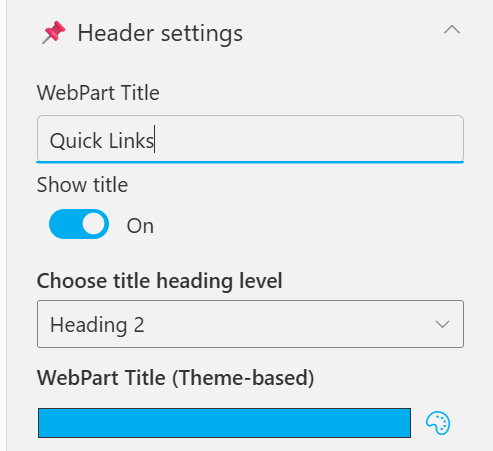
Header settings
📸 View Header Settings Screenshots
| Name | Purpose | Example / Options |
|---|---|---|
| WebPart Title | Specify a title for the Quick Links Web Part. | “Quick Links” |
| Choose title heading level | Select the heading level (H1–H6) for the WebPart title. | Heading 3 |
| Hide WebPart Title | Toggle to show or hide the WebPart title. | Show / Hide |
| WebPart Title (Theme-based) | Set a theme-based title color or style for the WebPart. | Color Picker |
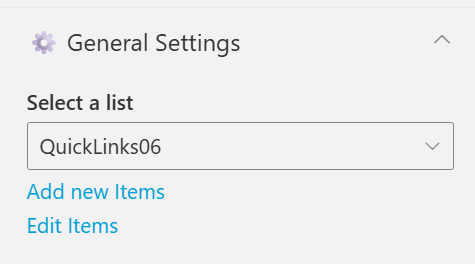
General settings
📸 View General Settings Screenshots
| Name | Purpose | Example / Options |
|---|---|---|
| Select List | Choose which SharePoint list to display data from. | Quick Links |
| Add New Items | Shortcut to add new list items directly. | Link (Add New Items) |
| Edit Items | Opens the selected list to modify existing entries | Link (Edit Items) |
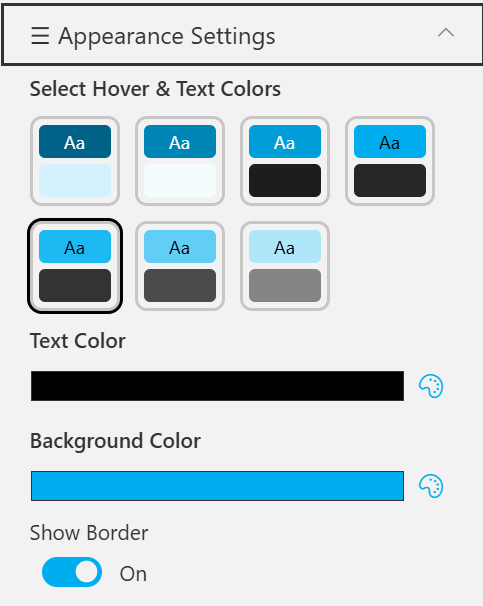
Appearance settings
📸 View Appearance Settings Screenshots
| Name | Purpose | Example / Options |
|---|---|---|
| Select Hover & Text Colors | Choose from preset hover and text color combinations. | 6 Style Options |
| Text Color | Define the text color used in the quick link tiles. | Color Picker (Black) |
| Background Color | Set the background color for tiles or web part area. | Color Picker (Blue) |
| Show Border | Toggle the border visibility around each item. | On / Off |