Quick Links 03
Overview
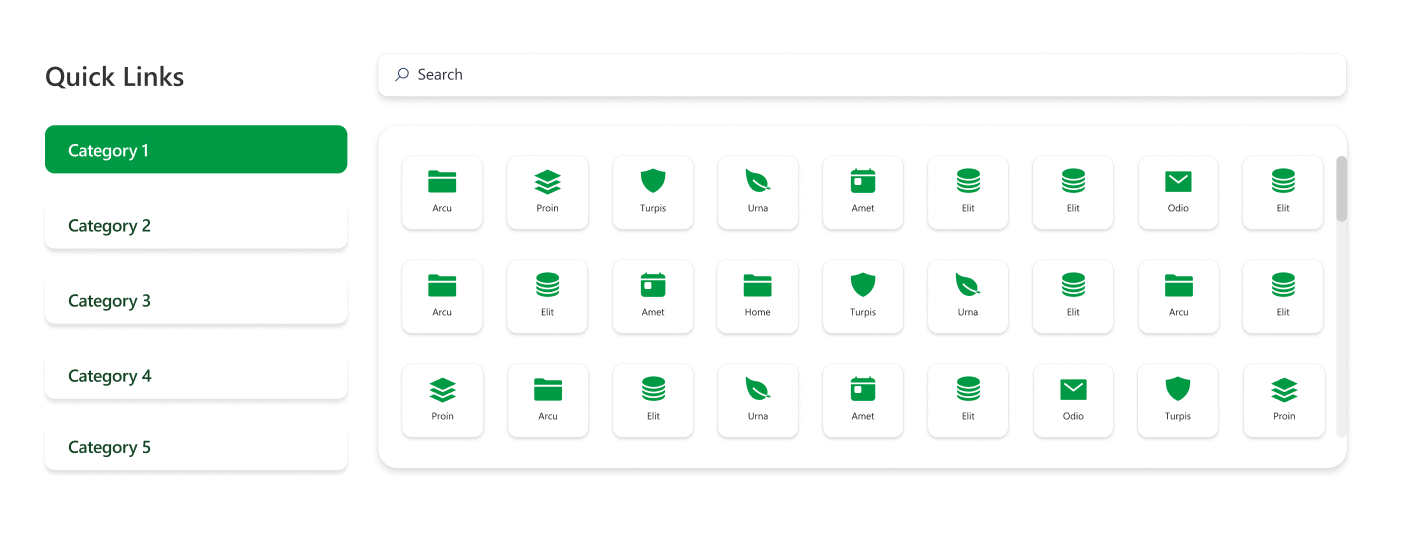
An enhanced quick links layout where certain links include dropdowns for sub-links. It combines clean icons, rounded button styling, and contextual navigation options. This format supports hierarchical navigation, making it suitable for displaying grouped or related quick links.
Configuration
Header settings
📸 View Header Settings Screenshots
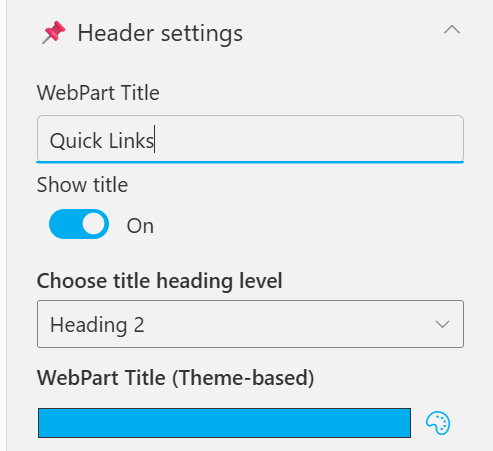
| Name | Purpose | Example / Options |
|---|---|---|
| WebPart Title | Specify a title for the Quick Links Web Part. | “Quick Links” |
| Choose title heading level | Select the heading level (H1–H6) for the WebPart title. | Heading 3 |
| Hide WebPart Title | Toggle to show or hide the WebPart title. | Show / Hide |
| WebPart Title (Theme-based) | Set a theme-based title color or style for the WebPart. | Color Picker |
General settings
📸 View General Settings Screenshots
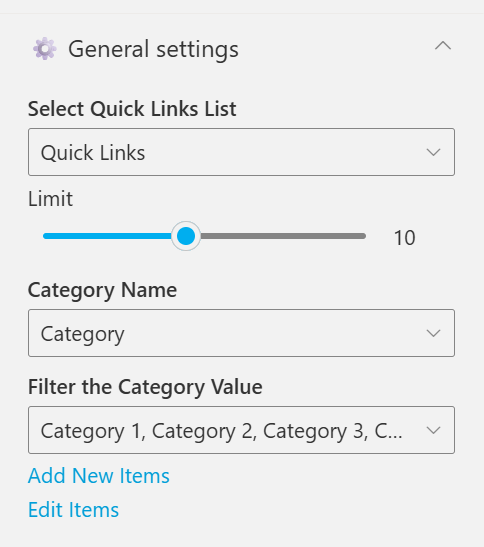
| Name | Purpose | Example / Options |
|---|---|---|
| Select Quick Links List | Select the list containing the quick link items. | Quick Links |
| Limit | Define the maximum number of quick links to display per page. | Slider (e.g., 10) |
| Category Name | Choose which list column will be used for categorization. | Category |
| Filter the Category Value | Select category values to filter the displayed quick links. | Category 1, Category 2, Category 3, etc |
| Add New Items | Shortcut to add new list items directly. | Link (Add New Items) |
| Edit Items | Opens the selected list to modify existing entries | Link (Edit Items) |
Appearance settings
📸 View Appearance Settings Screenshots
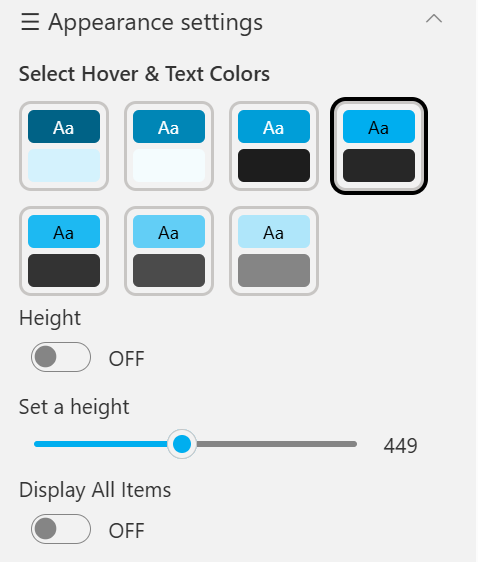
| Name | Purpose | Example / Options |
|---|---|---|
| Select Hover & Text Colors | Pick a preset combination of hover and text colors. | Color Tile Presets (6 Options) |
| Height | Toggle to set a fixed height for the web part section. | ON / OFF |
| Set a height | Adjust the height using a slider when enabled. | Slider (e.g., 449) |
| Display All Items | Show all items regardless of filtering or limit. | ON / OFF |