Calendar 02
Overview
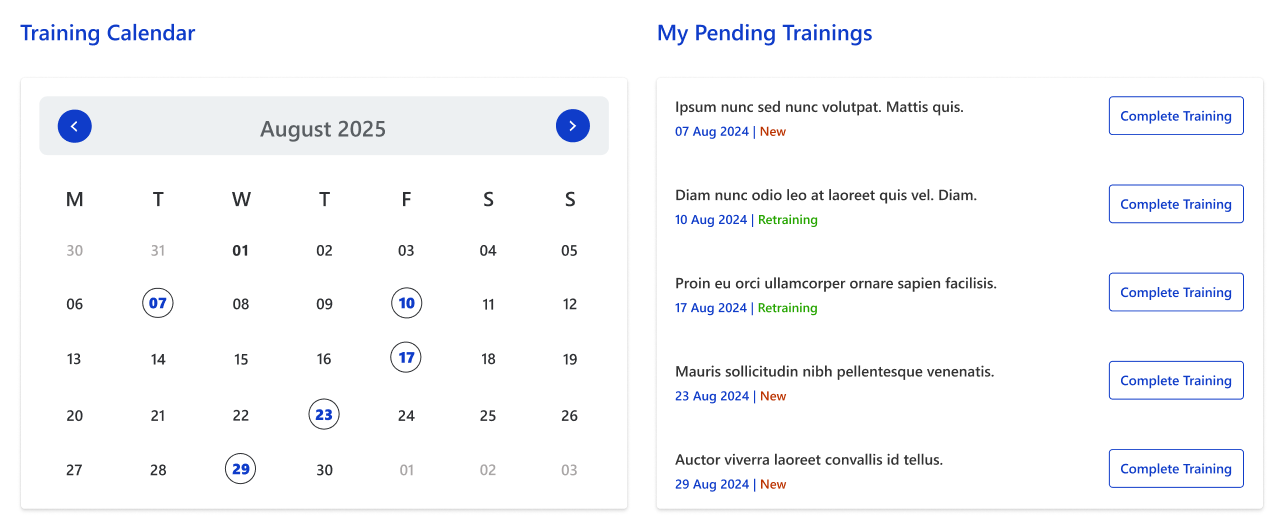
Displays a monthly training calendar highlighting key training dates. The right panel lists all pending trainings with their status (New/Retaining) and quick action buttons to complete sessions.
Configuration
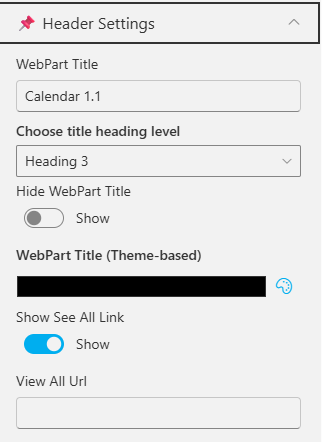
Header Settings
📸 View Header Settings Screenshots
| Name | Purpose | Example / Options |
|---|---|---|
| WebPart Title | Specify a title for the Calendar Web Part. | “Calendar 2” |
| Choose title heading level | Select the heading level (H1–H6) for the WebPart title. | Heading 3 |
| Hide WebPart Title | Toggle to show or hide the WebPart title. | Show / Hide |
| WebPart Title (Theme-based) | Set a theme-based title color or style for the WebPart. | Color Picker |
| Show “See All” Link | Display or hide the “See All” link for calendar navigation. | Show / Hide |
| View All URL | Provide a URL for the “View All” button to redirect users. | /sites/events/all-events |
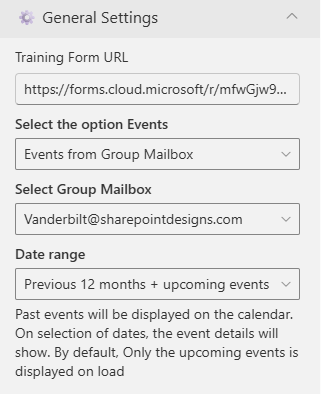
General Settings
📸 View General Settings Screenshots
| Name | Purpose | Example / Options |
|---|---|---|
| Training Form URL | Provide the URL for the training-related form. | https://forms.cloud.microsoft/r/ |
| Select the option Events | Select the event source for the Calendar. | Events from SharePoint List |
| Select events list | Choose the SharePoint list from which events will be displayed. | Dropdown of event lists |
| Filter Events | Control which past and upcoming events appear. | “Previous 6 months + upcoming events” |
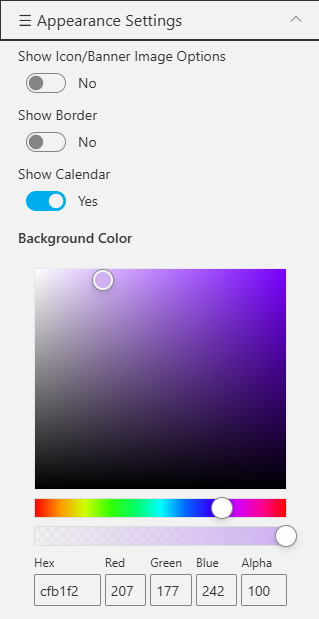
Appearance Settings
📸 View Appearance Settings Screenshots
| Name | Purpose | Example / Options | ||
|---|---|---|---|---|
| Show Icon/Banner Options | Toggle to show or hide the icon/banner in the calendar header. | Yes / No | ||
| Show Icon | Display the calendar icon in the header. | Checkbox | ||
| Show Banner | Display a banner background behind the title. | Checkbox | ||
| Show Calendar | Toggle the visibility of the main calendar component. | Yes / No | ||
| Show Border | Display a border around the calendar component. | Yes / No | ||
| Background Color | Set a background color for the calendar section. | Color Picker |