Weather 03
Overview
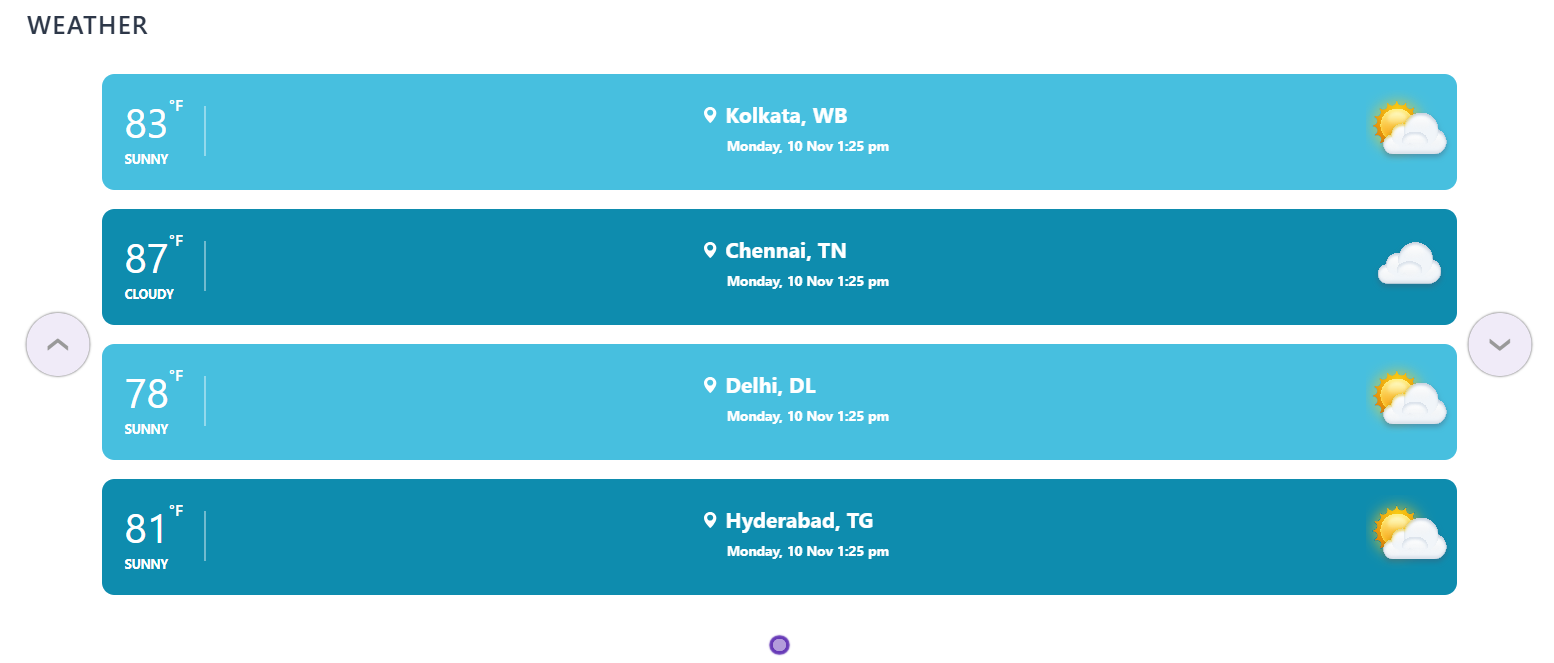
This modern SharePoint web part provides weather updates for your organization's facilities or client locations worldwide. Simply configure a SharePoint list with the locations you want to track, and the web part handles the rest. It offers clear and accurate weather insights to help teams stay informed.
Configuration
Header Settings
📸 View Header Settings Screenshots
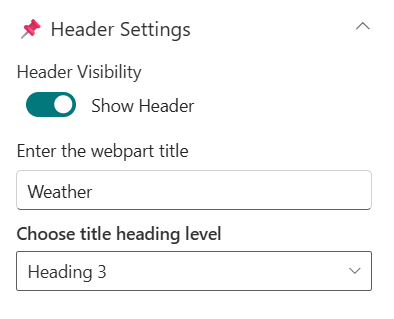
| Name | Purpose | Example / Options |
|---|---|---|
| Header Visibility | Toggle to show or hide the Web Part title | Show Header/Hide Header |
| Enter the webpart title | Specify a title for the Weather Web Part. | “Weather” |
| Choose title heading level | Select the heading level (H1–H4) for the WebPart title. | Heading 3 |
General Settings
📸 View General Settings Screenshots
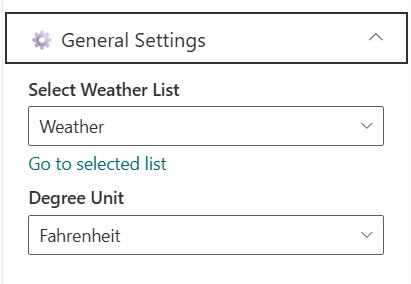
| Name | Purpose | Example/Options |
|---|---|---|
| Select Weather List | Choose which SharePoint list to display data from. | Weather |
| Degree Unit | Choose the Degree Unit to show weather | Dropdown (°F/°C) |
Appearance Settings
📸 View Appearance Settings Screenshots
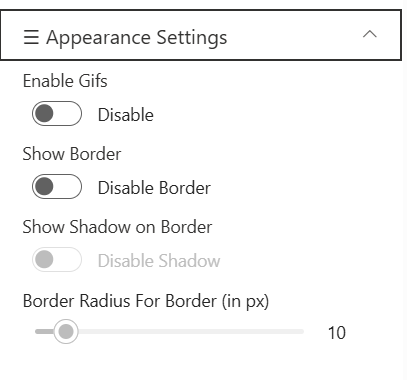
| Name | Purpose | Example/Options |
|---|---|---|
| Enable Gifs | Toggle to show or hide the Gif's | Enable/Disable |
| Show Border | Toggle to show or hide the border | Enable/Disable |
| Show Shadow | Toggle to show or hide the shadow for border | Enable/Disable |
| Border Radius For Border (in px) | Adjusts the roundness of corners for items. | Slider(8px to 25px) |
Admin Settings
📸 View Admin Settings Screenshots

| Name | Purpose | Example/Options |
|---|---|---|
| Show Admin Menu | Toggle to show or hide the Admin Menu | Show/Hide |
About
📸 View About Screenshots
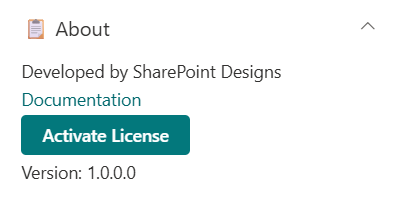
| Name | Purpose |
|---|---|
| Developer Info | Indicates the web part is built by SharePoint Designs. |
| Documentation Link | Links to this documentation for easy reference. |
| Activate License | Button to activate the licensed or premium version if applicable. |
Usage Notes
- This Weather Webpart supports the live weather forecast of given locations in the list.
- Header Visibility is enabled by default. When toggled off, the Web Part Title and Heading Level options are hidden and no longer configurable.
- Border is disabled by default. When enabled, the Border Shadow and Border Radius options become available and depend on the Border setting.